Bible App by Olive Tree
- 4.7
- Rating
- 1.00M
- Installs
- Free
- Price

 Analysis by App-foxy
I usually judge a Bible app by what happens after the first enthusiastic week. Opening a reading app once is easy; returning to it when the day is busy, the passage feels difficult, or a paper Bible would be simpler is the real test. Bible App by Olive Tree made a strong first impression for me because it puts several familiar Bible translations in one place and is designed to remain useful without a constant internet connection.
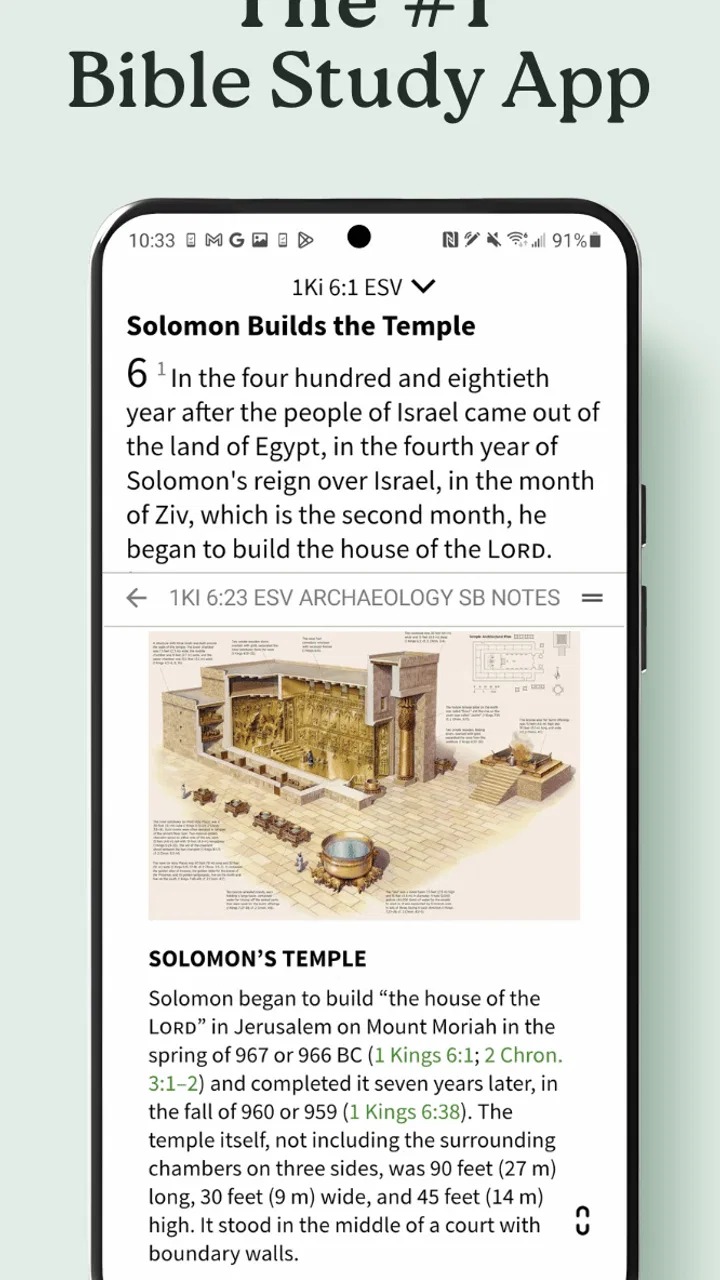
This is a free Books & Reference app from Gospel Technologies, intended for Everyone. Its main appeal is straightforward: I can study the Bible offline, move between the KJV, NIV, and ESV, and keep reading without treating the app like a social network or an entertainment service. That focused purpose is a strength, although the experience becomes more complicated if I want to explore every available study resource or spend money inside the app.
What Bible App by Olive Tree feels like in daily use
I look at Bible App by Olive Tree through a practical lens: can I reach the passage I need when my hands, eyes, attention, or internet connection are not at their best? I’ll focus on how its familiar translations and offline reading fit different situations, while being clear about where a phone-based Bible may still create friction. That makes readability and navigation the useful place to begin.
You May Also Like

 Blood Strike: 2.5 Anniversary
Blood Strike’s Loadouts Turn Every Drop Into a Tactical Gamble
A close look at Blood Strike’s custom loadouts: how fast access to signature weapons reshapes its battle royale rhythm, rewards preparation, and narrows the gap between fights.

 Pandora - Music & Podcasts
Pandora’s Music Is Easy to Start, but Harder to Recover
Pandora’s strength is its low-effort path from a seed to a station. Its weak spot is how much confidence it asks you to place in connection, setup, and quiet recovery.

 8 Ball Pool
 Is Built on Rivalries, Rematches, and Routine
A close look at the rivalries, rematches, shared routines, and unanswered safety questions that turn a quick pool match into a persistent mobile community.

 Samsung Music
’s Quiet Strength Is Playing What You Already Own
Its reach comes less from spectacle than from dependable access to a personal library. That simplicity is both the app’s strongest retention engine and its ceiling.

 AccuWeather: Weather Radar
AccuWeather Review: A Quick, Clear Forecast for Everyday Decisions
For everyday plans, the best forecast is the one you can understand quickly. AccuWeather makes rain timing, radar, and local conditions easy to act on, with a few trade-offs.

 Hill Climb Racing
Why Hill Climb Racing Still Turns Crashes Into One More Run
A tiny car, a bumpy hill and one more upgrade: Hill Climb Racing keeps resurfacing because its simple chaos makes every near-miss feel personal.
More From Our News Desk



The first week: quick access, familiar translations, and a useful offline habit
During the first few days, the app is easy to understand. I can choose a Bible translation that matches my reading style instead of being locked into one wording. The KJV suits readers who value traditional language, while the NIV is generally more approachable for everyday reading. The ESV gives readers another established option with a more formal feel. Having these choices together is more useful than it may sound, especially when I want to compare how a difficult verse reads across translations.
The offline focus changes the way I use it. I do not have to wait until I have a reliable connection before opening a passage, which makes the app practical for travel, quiet reading away from home, or places where mobile service is unreliable. I also like that offline access encourages a smaller, calmer routine: open the app, find the passage, read, and close it. It does not require me to turn Bible reading into a complicated project.
A realistic everyday use case is a short morning reading before leaving for work. I can select a passage while connected, then return to it later during a commute or lunch break without depending on a signal. In the evening, comparing the same section in another translation can help clarify a sentence that felt awkward earlier. That workflow is more valuable than simply having a large library because it turns the app into a dependable reference rather than a download I forget about.
The first-week appeal also comes from the low entry cost. The app is free, so I can test its reading experience before deciding whether it deserves a permanent place on my phone. That matters in this category, where many alternatives divide their basic reading experience from more advanced study tools or make the user commit before discovering whether the interface fits.
Why translation switching is more than a novelty
Switching translations can become a genuine study technique when used carefully. I find it helpful to read a passage once for flow, then check another version only when a phrase seems unclear or when I want to notice a different emphasis. The important trade-off is that comparison can either deepen understanding or interrupt it. If I move between versions after every sentence, I spend more time examining wording than absorbing the passage.
My preferred approach is to choose one translation for the main reading session and use the others as a second pass. That keeps the app from becoming a comparison machine. Readers who are new to Bible study may appreciate this restraint, because three options can otherwise create unnecessary uncertainty about which text to follow. Readers who already have a preferred translation can simply keep the other choices available for occasional reference.
This is one area where the app compares well with a single-translation Bible app. A basic alternative may feel simpler, but it cannot offer the same quick contrast between the KJV, NIV, and ESV. On the other hand, someone who already owns a favorite printed Bible and wants only a distraction-free reading experience may prefer the physical book, since the phone always brings the possibility of notifications and unrelated interruptions.
The value that appears after the first month
After the novelty fades, the app earns its place through repetition rather than surprises. I do not need a new feature every time I open it. I need the same core actions to remain dependable: reach a passage, read it comfortably, consult another translation when needed, and continue even when I am offline. That kind of recurring value is easy to overlook because it is not dramatic, but it is exactly what makes a reference app worth keeping.
For a month-to-month routine, I would use it in three different ways. First, it works as a primary reading tool for someone who prefers a phone. Second, it works as a backup when a printed Bible is not convenient. Third, it works as a quick reference when a verse or chapter comes up in conversation, a study group, or personal reflection. The same installation can serve all three roles without requiring a separate app for each one.
The strongest long-term habit is a modest one. I would rather read a manageable section regularly than build an ambitious plan that becomes another obligation. Bible App by Olive Tree supports that kind of flexible use because its central function is always available. I can open it for a few minutes or remain with a longer passage, depending on the day. That flexibility helps the app survive changes in schedule.
There is also a useful distinction between convenience and commitment. The app makes Scripture convenient to reach, but it cannot create the habit by itself. If I install it and rely on reminders, a reading plan, or the excitement of a new download, the routine may disappear quickly. Its lasting value comes when I attach it to something I already do, such as morning coffee, a quiet evening, or a weekly study session.
Maintenance: what I would do before relying on it
Offline reading is one of the app’s clearest practical advantages, but it works best when I prepare rather than assume everything will be ready at the exact moment I need it. Before traveling or spending time without service, I would open the app while connected and make sure the translation I intend to read is available for offline use. This small check prevents the common frustration of discovering that an important resource still needs to be downloaded.
I would also keep the app organized around the translations I actually use. Having multiple versions is helpful, but downloading or managing more material than necessary can make a focused reading routine feel like library administration. My advice is to begin with one main translation and add the others for comparison only when they serve a clear purpose.
The app’s current version is 8.1.1.0.2892, and it requires Android 10 or later. That requirement is worth checking before planning to use it on an older Android phone. For people with compatible devices, keeping the app updated is sensible because reading tools depend on stable text display and reliable offline behavior. Still, every update introduces a small maintenance step, and users who dislike managing app changes may prefer a physical Bible or a very basic reader.
Storage is another quiet consideration. Offline resources are convenient, but they occupy space, so I would avoid downloading every available item simply because it appears useful. A selective setup is easier to maintain and makes it clearer which translation is my default. If I replace phones, I would also treat the move as a chance to review what I actually use instead of recreating a cluttered library automatically.
Where fatigue can set in
The biggest source of fatigue is not the Bible text itself; it is the possibility of turning a simple reading session into a series of choices. Which translation should I use? Should I compare another version? Should I explore more study material? Should I purchase something? Those decisions can be helpful for a serious study session, but they can also make a tired reader close the app before reading anything.
That is why I recommend deciding the purpose of each session in advance. If I am reading devotionally, I choose one translation and stay with it. If I am studying wording, I compare versions deliberately. If I only need to locate a passage, I avoid browsing. This approach reduces friction and protects the app’s best quality: immediate access to the text.
In-app purchases are another point to consider. The app itself is free, but individual purchases range from $0.99 to $399.99. That broad range means the free starting point does not necessarily describe the cost of building a larger study library. I would not spend money until I knew exactly which resource would change my use of the app. A reader who only wants the included translations may never need to buy anything, while a dedicated student should examine each purchase carefully and avoid collecting resources out of curiosity alone.
This pricing structure makes the app less ideal for someone who wants every study aid included in one predictable payment. It is better suited to a gradual approach, where I begin with the free reading experience and add only what matches a real need. That is a fair model for some users, but it requires discipline. The presence of a large optional library can be encouraging for serious study and distracting for everyone else.
Who will keep using it, and who may move on
I think the app is a strong fit for readers who want several respected translations, dependable offline access, and a Bible they can carry without adding another physical book to a bag. It is also a good choice for people who alternate between quick reference and more deliberate reading. The KJV, NIV, and ESV make it especially useful for readers who want to compare traditional and contemporary English without maintaining separate apps.
It may be less suitable for someone who wants a completely paper-like experience. A phone can tempt me to check messages, switch apps, or respond to notifications, even when the Bible app itself is focused. A printed Bible remains better for readers who value visible page context, no battery concerns, and a reading environment separated from digital distractions.
I would also point elsewhere if my main priority were a highly specialized academic workflow, extensive cross-referencing, or a fully bundled study package with no optional purchasing decisions. Bible App by Olive Tree is most convincing as a flexible reading and reference companion. It can support study, but I would not choose it solely because I expect the app to replace every book, commentary, or established study method I already use.
The app’s reception suggests that many people find the overall experience worthwhile: it has a 4.7 average from around 132 thousand ratings, with more than 1 million installs. Those figures do not decide my opinion, but they fit what I experienced: a mature, widely used reading tool rather than a novelty built around a single attractive feature. The developer, Gospel Technologies, has positioned it as a practical Bible resource, and the central experience stays aligned with that purpose.
My long-term verdict
After the first week, Bible App by Olive Tree is easy to enjoy. After a month, it remains useful if I establish a simple routine and resist unnecessary browsing. After that, its staying power depends on whether I value offline access and translation comparison enough to keep a Bible app on my phone. For me, the answer is yes, but with a deliberately restrained setup.
The app earns lasting space through dependable repetition, not endless novelty. I would install it for the free access, choose one main translation, prepare offline reading before travel, and use the KJV, NIV, and ESV as purposeful comparison tools rather than switching constantly. I would also treat optional purchases as decisions to evaluate, not automatic upgrades.
Its limitations are real: phone distractions can weaken the reading experience, older Android devices may not meet the Android 10 minimum, and the optional purchase range can make the broader library feel less predictable. Those issues do not cancel out the core value, but they matter when choosing between this app, a single-purpose alternative, and a printed Bible.
My recommendation is strongest for anyone who wants a free, portable Bible reference with offline reading and multiple English translations. It is not the right answer for every kind of study or every reading personality, but it is easy to keep useful once the setup is intentional. If I were recommending one Bible app to a friend who wants reliable everyday access rather than a flashy experience, this is the one I would suggest trying first.
FAQs for Bible App by Olive Tree
01What is Bible App by Olive Tree, and what can I use it for?
Bible App by Olive Tree is a digital Bible and study platform for Android and iOS. It provides access to Bible translations, reading plans, devotionals, audio resources, notes, highlights, bookmarks, and study materials. Its main strength is combining everyday reading with organized research tools, making it useful for personal devotion, church preparation, Bible study, and comparing different resources in one app.
02Does Bible App by Olive Tree work without an internet connection?
Yes, many features can be used offline after the required Bible translations or resources have been downloaded to your device. This is especially convenient for travel, commuting, or locations with unreliable mobile data. However, downloading resources, synchronizing your account, accessing online content, and receiving updates generally require an internet connection. Available offline content can also depend on the resource license.
03Is Bible App by Olive Tree free to download and use?
The app can generally be downloaded at no cost, and it includes free Bible content and basic reading features. However, some translations, study Bibles, commentaries, devotionals, and other premium resources may require individual purchases, subscriptions, or access through a special offer. Before downloading paid content, review the displayed price, license terms, and whether the resource works across your supported devices.
04Can I synchronize my notes, highlights, bookmarks, and reading progress?
Olive Tree provides account-based synchronization for many personal study items, including notes, highlights, bookmarks, and reading progress. Signing in with the same account on compatible devices can help keep your library and study history available across platforms. Synchronization may depend on the resource and feature involved, so it is wise to confirm that important notes have uploaded successfully before changing devices or reinstalling the app.
05Is Bible App by Olive Tree suitable for serious Bible study?
It can be suitable for both casual reading and more structured study, particularly when you use its search, parallel Bible, note-taking, highlighting, and reference-resource features. The experience depends on which translations and study materials you own. Users seeking advanced academic research may still need specialized software or printed resources, but Olive Tree offers a convenient and well-organized starting point for personal and church-related study.
Pros
- Offline access lets you read downloaded Bible versions without an internet connection.
- Reading plans and reminders make it easier to maintain a consistent study routine.
- Audio Bible support is useful for listening during commutes or other activities.
- Cross-references help connect related verses and provide additional context.
- Syncing keeps notes
- highlights
- bookmarks
- and progress available across devices.
Cons
- Many Bible translations and study resources require separate purchases or subscriptions.
- The large selection of tools can feel overwhelming for first-time users.
- Some advanced study features may work better on a larger screen than on a phone.
- Audio downloads can use considerable storage space on your device.
- Account syncing may be inconvenient for users who prefer not to register.

Bible App by Olive Tree
Gallery